





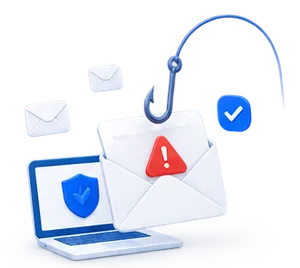





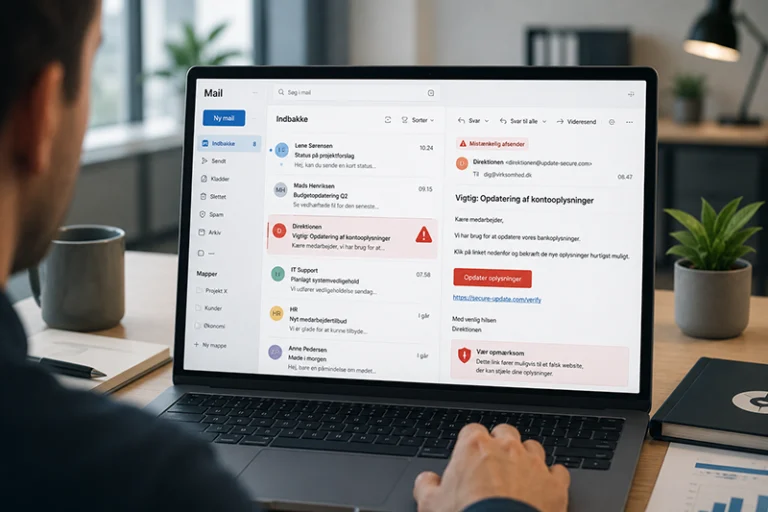
Phishing often targets a broad audience. Spear phishing is more targeted and attempts to trick a specific person, department, or company with an email that appears personal and credible.
The email may appear to be a message from an executive, supplier, colleague, customer, or internal department, and may mention real names, projects, or invoices. For this reason, spear phishing can be harder to detect than regular phishing.
Here is a clear explanation of what spear phishing is, how targeted phishing emails work, and how you can train your employees to respond appropriately.
What is spear phishing?
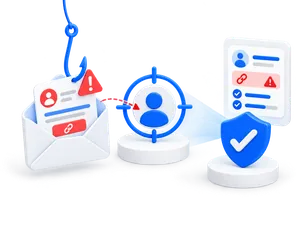
Spear phishing is a targeted form of phishing in which scammers tailor their attack to a specific recipient or company. Instead of sending the same generic email to thousands of people, the scammer uses information about the recipient to make the message seem more credible.
This could include information from LinkedIn, the company’s website, social media, past data breaches, public documents, or previous email threads. The more the scammer knows, the easier it becomes to write an email that seems like a natural part of the workday.
For example, a spear-phishing email might appear to come from an executive, a supplier, a colleague, HR, the finance department, a customer, a business partner, or a well-known digital service such as Microsoft 365.
Meaning of spear phishing
In short, spear phishing refers to targeted phishing.
The word “spear” can be understood as a spear: Instead of “casting a wide net” for many random victims, the scammer targets a single, carefully selected victim. This could be a finance employee with access to payments, an HR employee with access to personal data, an IT employee with access to systems, or a manager who can approve decisions.
What makes spear phishing unique is not just that the email is fake. What makes it unique is that it is written to match the recipient’s role, relationships, and daily life.
How does spear phishing work?
Spear phishing often begins with research. The scammer investigates the company and finds information that can be used to make the attack appear credible. This may include the names of employees, managers, suppliers, job titles, projects, events, technologies, or current news about the company.
The email is then crafted to look like a legitimate message. It may be written in the same tone as a colleague, resemble an email from a supplier, or refer to a specific task that relates to the recipient’s work.
A typical spear phishing attack might look like this:
The scammer targets a specific person or department.
The scammer gathers information about the company.
The email is tailored to include relevant names, details, or processes.
The recipient is asked to click a link, reply, open a file, approve a payment, or share information.
If the employee responds, the scammer can gain access to data, money, or systems.
Examples of spear phishing emails
Spear-phishing emails often seem credible because they tap into situations employees are familiar with. They don’t have to be riddled with spelling mistakes or technical red flags. Often, it’s the context that gives them away.
H3: Fake supplier email
A finance employee receives an email that appears to be from a known supplier. The email refers to an existing invoice and states that the payment details have changed.
Typical goal: To get the company to make a payment to the wrong account.
Fake email from management
An employee receives an email that appears to be from the CEO or CFO. The message requests an urgent payment, a list of employee information, or a confidential file.
Typical goal: To exploit authority and a sense of urgency.
Fake Microsoft 365 email
An employee receives an email stating that their account needs to be verified or that MFA needs to be reactivated. The email may appear to come from IT or Microsoft 365 and lead to a fake login page.
Typical goal: To steal login credentials.
Fake HR or payroll email
An HR employee receives an email regarding payroll information, vacation time, contracts, or employee data. The email may appear to come from a manager, an accountant, or an internal department.
Typical objective: To gain access to personal data or internal documents.
Fake customer email with an attachment
An employee receives an email from someone who appears to be a customer or business partner. The email contains an attachment, a link to a document, or a message regarding an urgent matter.
Why is spear phishing hard to detect?
Spear phishing is difficult to detect because the email is often tailored to the recipient. It may use real names, real vendors, familiar projects, or internal terminology. As a result, the message feels more relevant than a typical phishing email.
Many employees have become adept at spotting generic phishing emails with suspicious links, poor translations, or unknown senders. But spear phishing exploits precisely the cues we normally associate with credibility: recognizable names, familiar relationships, and realistic work tasks.
This means that employees must not only check for spelling errors and verify the sender. They must also learn to assess whether the message aligns with the company’s standard procedures.
Signs of spear phishing
Spear phishing may be more sophisticated than regular phishing, but there are still warning signs.
The email is almost too perfect for the situation
If an email mentions specific names, projects, or tasks, it may seem genuine. But that very personal touch could be part of the scam. Be wary if the email also asks for money, login credentials, or sensitive information.
There is a rush or pressure
Scammers often try to pressure the recipient into acting quickly. This might involve an urgent payment, an account that is about to expire, a confidential task, or a message stating that something must be taken care of within a short time.
The sender looks like a famous person
The name may be correct even if the email address isn't. Check the entire sender address, especially if the message concerns payment, login, data, or changes to processes.
The message breaks with standard practice
If a manager does not normally approve payments via email, or if suppliers do not normally change account information without following a set procedure, the employee should take action.
The email asks for confidential information
Spear phishing often attempts to gain access to login credentials, personal data, financial information, customer data, or internal documents. If an email asks for sensitive information, you should always verify it.
Link or attachment requires action
Emails containing links, login pages, or attachments should be examined with extra care, especially if they create a sense of urgency or arrive unexpectedly.
How Companies Can Protect Themselves Against Spear Phishing
Spear phishing cannot be eliminated with a single tool alone. Because these attacks are personalized and often well-crafted, they require a combination of technology, processes, and training.

In particular, companies should establish clear procedures for payments, changes to account information, access approvals, and the sharing of sensitive information. If employees know that certain actions must always be confirmed through a different channel, it becomes easier to spot when an email breaks that pattern.
It is also important to limit the amount of information that makes it easier for fraudsters to conduct their research. Public employee information, job titles, email addresses, supplier relationships, and organizational charts can provide fraudsters with material to launch more credible attacks. This does not mean that companies should hide everything, but rather that they should be aware of what could be misused.
In addition, employees should be trained using realistic scenarios that mirror their daily work. An accounting staff member should be able to recognize a fake supplier email. HR should be able to spot unusual requests for employee data. IT should be on the lookout for emails regarding access, MFA, and password resets.
Here's how you can train employees to recognize spear phishing
Spear phishing should be included in your general awareness and phishing simulation programs. Employees should not only learn to spot generic phishing emails, but also targeted emails that use real names, relationships, and work-related scenarios.
Training should be based on real-life scenarios. These may include fake supplier emails, messages from management, Microsoft 365 logins, HR requests, attached documents, or changes to payment information.
The most important thing is for employees to learn to assess the context: Does the message fit with the normal process? Is the request expected? Should the action be confirmed through another channel? Who should be contacted if there is any doubt?

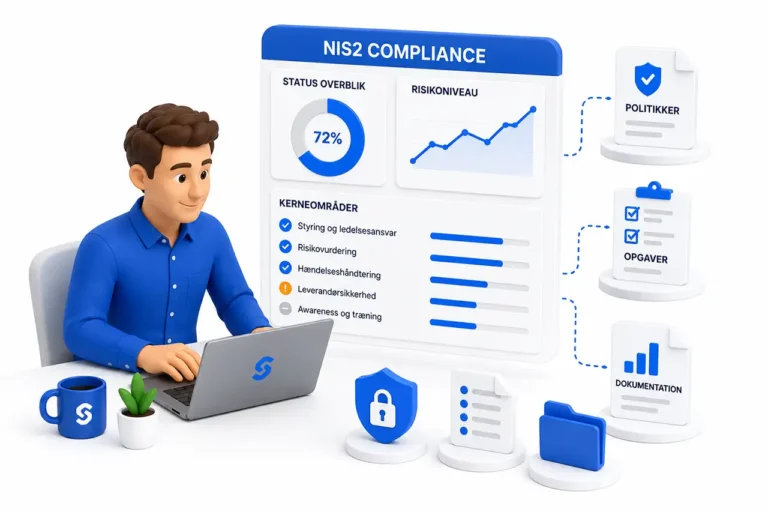
With SecureFirst, you can consolidate awareness training, phishing simulations, reporting, and documentation in one place. This makes it easier to train employees on proper behavior, track progress over time, and document your efforts for management, customers, insurance providers, or compliance authorities.
Book a demo or try ourphishing module for free.