





Phishing Simulation
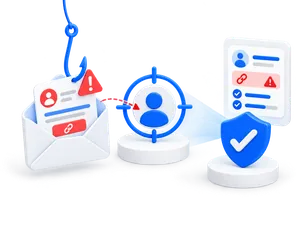
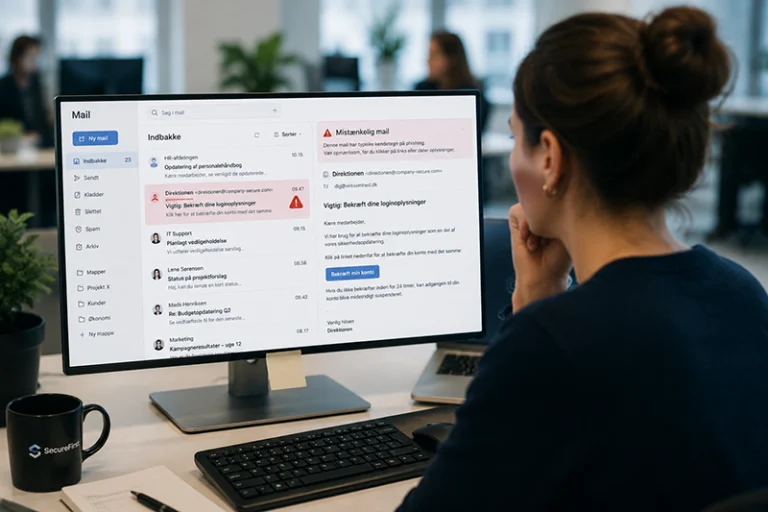
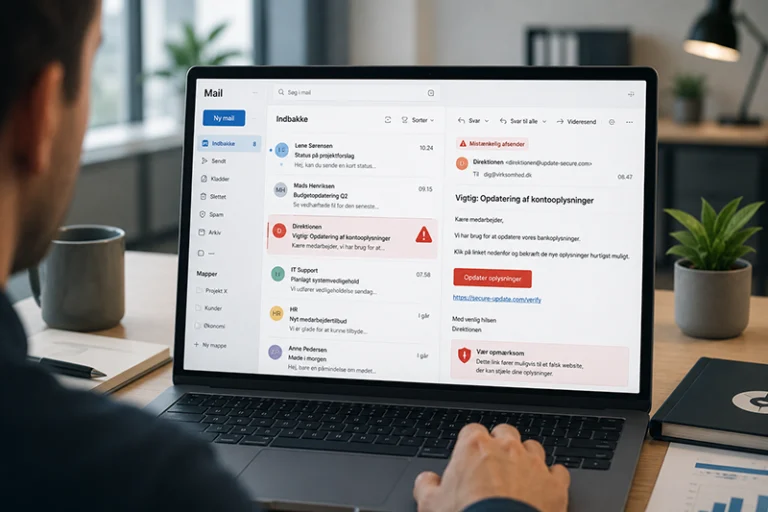
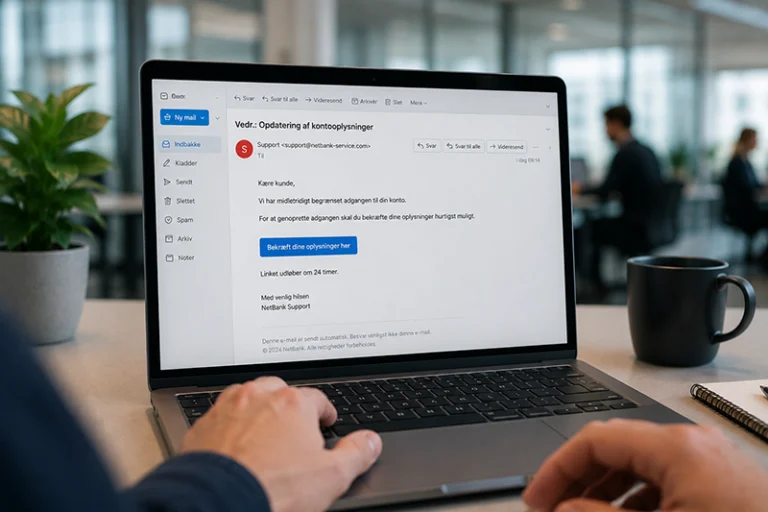
Realistic phishing emails with immediate feedback, so employees learn to spot attacks in real-world scenarios—and you can track clicks, progress, and results all in one platform.
Realistic phishing tests with multiple difficulty levels
Instant feedback if an employee clicks
Automated campaigns and reports
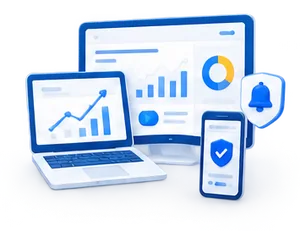
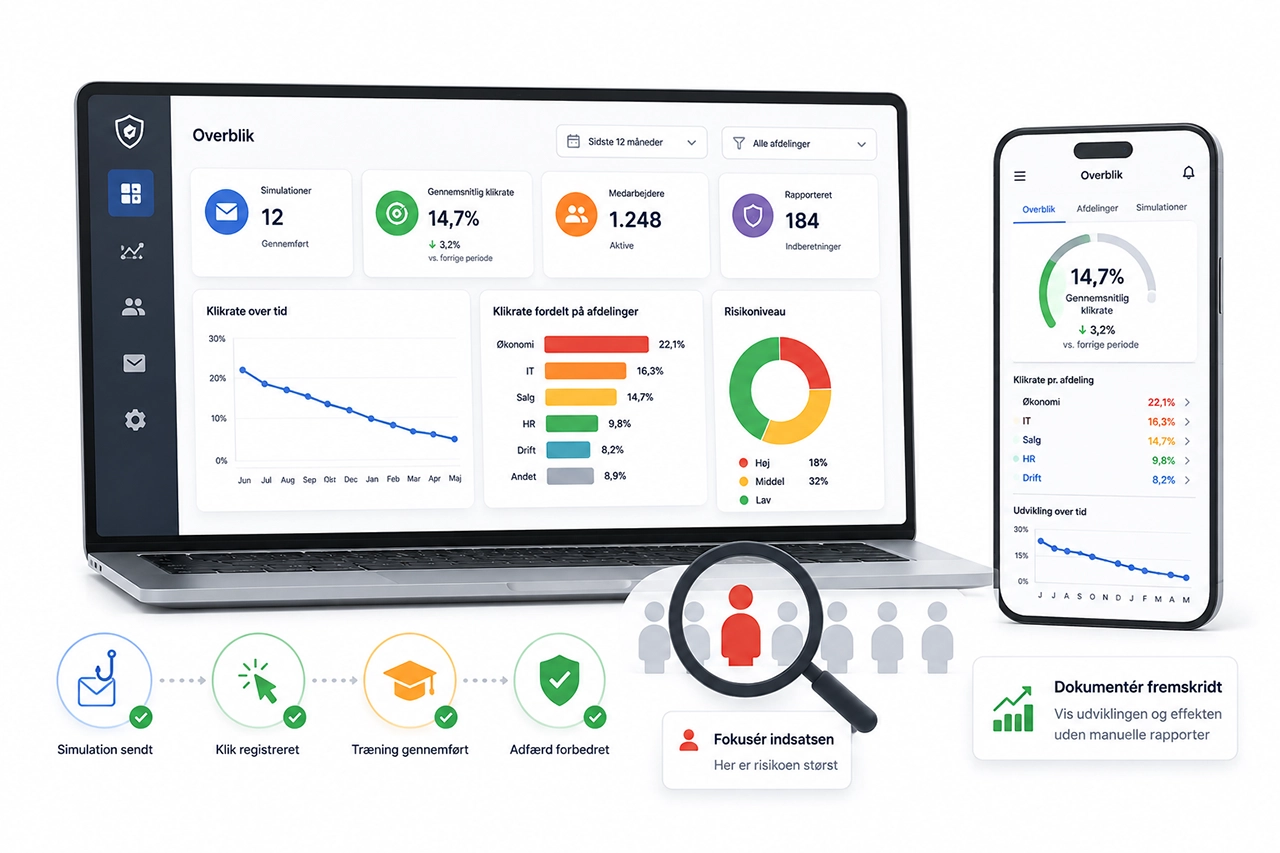
Overview of click-through rates, departments, and trends
Fixed and transparent pricing with no hidden fees
* Try a free phishing simulation.
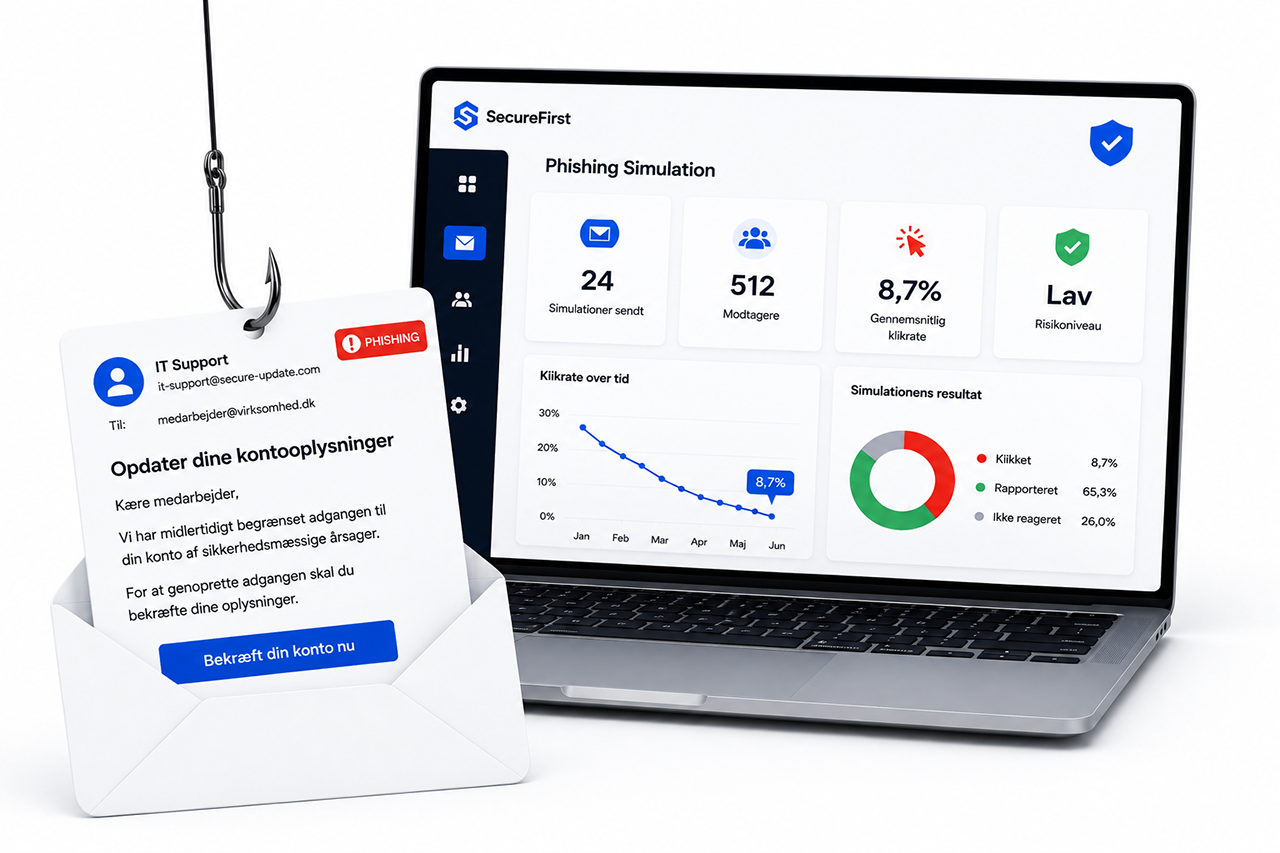
















Phishing Simulation – In a Nutshell
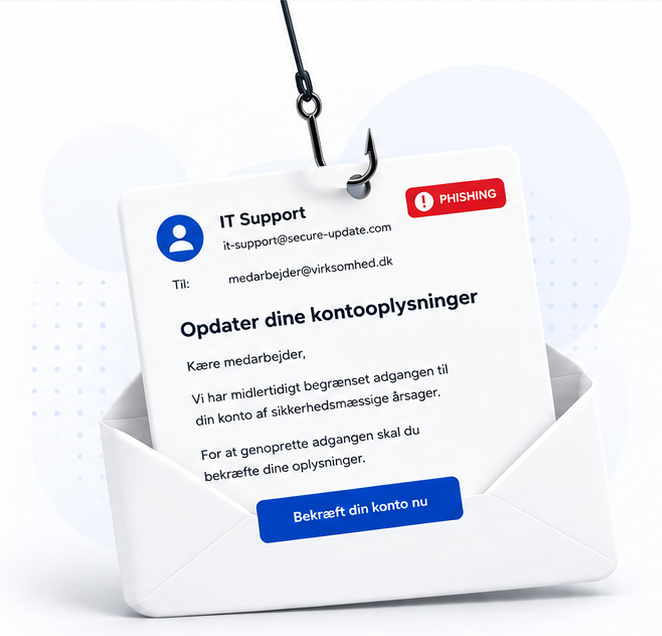
Can you spot all the phishing indicators?

What are phishing simulations
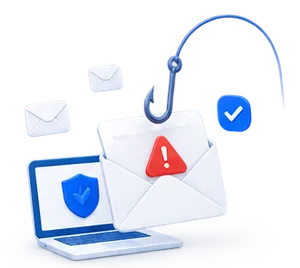
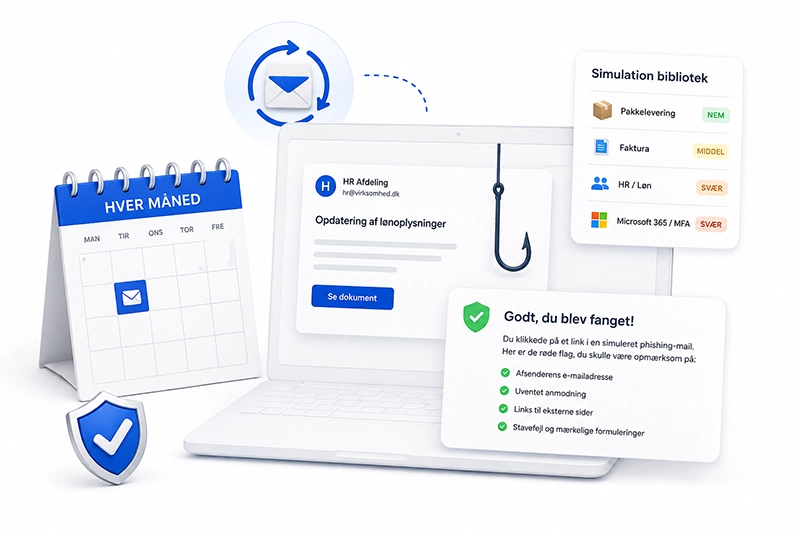
Phishing simulations are realistic but harmless test emails that train employees to recognize phishing in their day-to-day work. With our solution, you get automated phishing tests sent out every month from over 100 realistic domains and at various levels of difficulty.

Why Do Phishing Tests Work?
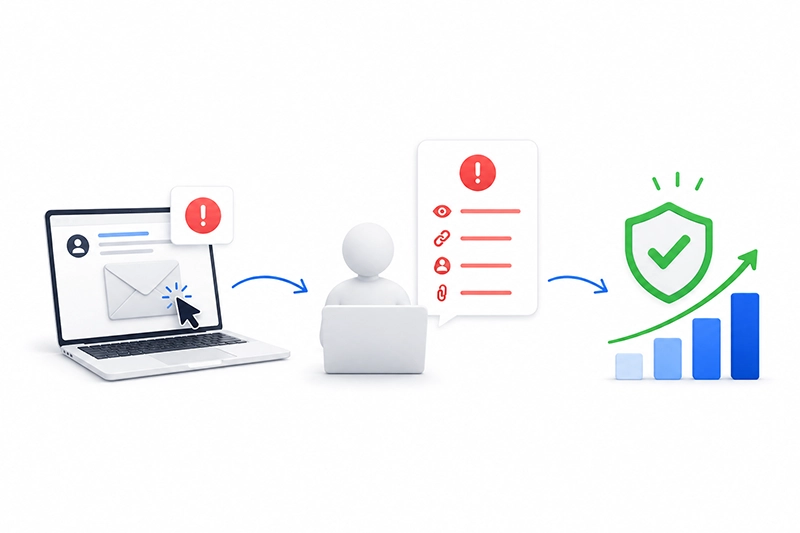
Employees encounter emails that mimic the latest attacks and receive immediate feedback upon clicking, ensuring effective learning retention.

Get started easily with phishing training
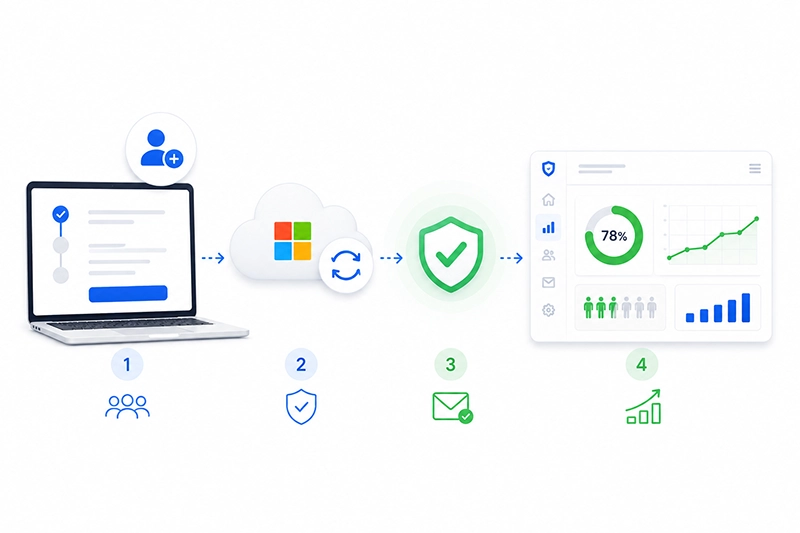
Onboarding requires only a brief meeting, during which we assist with setup and a dashboard walkthrough. Subsequently, everything operates automatically.

A comprehensive overview of the results
Within the dashboard, you can monitor click-through rates and track progress down to the individual employee level. Automated reports for management clearly indicate where risks reside and how the organization is improving.
Always new, always automatic
Phishing Tests That Work
We make it easy for you to train your employees on an ongoing basis. Every month, a new phishing email is sent automatically—selected from a large library of realistic scenarios. With over 100 different domains and difficulty levels ranging from Easy to Hard, the training remains both varied and challenging, ensuring that users continuously develop their skills.
The simulations are designed as authentic emails – e.g., package delivery, invoices, HR/payroll, Microsoft 365/MFA, etc. Should an employee click, they are directed to a secure page providing immediate feedback, highlighting the specific warnings within that particular email and outlining recommended actions for future instances. Content is continuously updated, and annually we introduce new scenarios that align with current phishing trends and seasonal campaigns, ensuring the training always remains relevant and contemporary.
Why it works
Simulations with Impact
Get started in no time
It doesn't get any easier than this
Keep track of your progress
A Comprehensive Overview
Highly Rated by Users. Documented Effectiveness.
Employees perceive our simulations as realistic and appropriately challenging,
fostering learning and enhancing their ability to identify attacks.
-
 Alma
Alma
-
Alexander
-
Jonas
-
Agnes
-
Frederik
-
Laura
-
Line
-
Gustav
-
Christian
-
Daniel
-
Nadia
-
Signe
-
Viktor
-
Katrine
-
Søren
-
Mikke
-
Louise
-
Niklas
-
Emma
-
Caroline
-
Trine
-
William
-
Nanna
-
Jesper
-
Anders
-
Kasper
-
Oliver
-
Malte
-
Simon
-
Sofie
-
Phillip
-
Sebastian
-
Thea
-
Lucas
-
Julie
-
Emilie
-
Ida
-
Rasmus
-
Mads
-
Camilla
-
Mia
-
Martin
-
Noah
-
Maria
-
Lene
-
Annika
-
Sarah
-
Henrik
-
Tobias
-
Alma
-
Alexander
-
Jonas
-
Agnes
-
Frederik
-
Laura
-
Line
-
Gustav
-
Christian
-
Daniel
-
Nadia
-
Signe
-
Viktor
-
Katrine
-
Søren
-
Mikke
-
Louise
-
Niklas
-
Emma
-
Caroline
-
Trine
-
William
-
Nanna
-
Jesper
-
Anders
-
Kasper
-
Oliver
-
Malte
-
Simon
-
Sofie
-
Phillip
-
Sebastian
-
Thea
-
Lucas
-
Julie
-
Emilie
-
Ida
-
Rasmus
-
Mads
-
Camilla
-
Mia
-
Martin
-
Noah
-
Maria
-
Lene
-
Annika
-
Sarah
-
Henrik
-
Tobias
-
Sarah
-
Sofie
-
Mikke
-
Julie
-
Agnes
-
Jesper
-
Alexander
-
Ida
-
Jonas
-
Alma
-
Frederik
-
Nanna
-
Sebastian
-
Maria
-
William
-
Malte
-
Nadia
-
Rasmus
-
Viktor
-
Oliver
-
Signe
-
Noah
-
Line
-
Trine
-
Laura
-
Caroline
-
Mia
-
Lene
-
Henrik
-
Anders
-
Søren
-
Annika
-
Simon
-
Lucas
-
Christian
-
Phillip
-
Katrine
-
Emilie
-
Louise
-
Daniel
-
Camilla
-
Kasper
-
Mads
-
Martin
-
Tobias
-
Emma
-
Gustav
-
Thea
-
Niklas
-
Sarah
-
Sofie
-
Mikke
-
Julie
-
Agnes
-
Jesper
-
Alexander
-
Ida
-
Jonas
-
Alma
-
Frederik
-
Nanna
-
Sebastian
-
Maria
-
William
-
Malte
-
Nadia
-
Rasmus
-
Viktor
-
Oliver
-
Signe
-
Noah
-
Line
-
Trine
-
Laura
-
Caroline
-
Mia
-
Lene
-
Henrik
-
Anders
-
Søren
-
Annika
-
Simon
-
Lucas
-
Christian
-
Phillip
-
Katrine
-
Emilie
-
Louise
-
Daniel
-
Camilla
-
Kasper
-
Mads
-
Martin
-
Tobias
-
Emma
-
Gustav
-
Thea
-
Niklas
-
Mads
-
Line
-
Laura
-
Caroline
-
Nadia
-
Simon
-
Emma
-
Jesper
-
Agnes
-
Niklas
-
Jonas
-
Kasper
-
William
-
Trine
-
Nanna
-
Sebastian
-
Sofie
-
Anders
-
Viktor
-
Louise
-
Gustav
-
Frederik
-
Alma
-
Signe
-
Ida
-
Mia
-
Søren
-
Emilie
-
Maria
-
Christian
-
Rasmus
-
Daniel
-
Thea
-
Noah
-
Henrik
-
Lene
-
Alexander
-
Katrine
-
Julie
-
Camilla
-
Lucas
-
Annika
-
Mikke
-
Sarah
-
Phillip
-
Martin
-
Oliver
-
Tobias
-
Malte
-
Mads
-
Line
-
Laura
-
Caroline
-
Nadia
-
Simon
-
Emma
-
Jesper
-
Agnes
-
Niklas
-
Jonas
-
Kasper
-
William
-
Trine
-
Nanna
-
Sebastian
-
Sofie
-
Anders
-
Viktor
-
Louise
-
Gustav
-
Frederik
-
Alma
-
Signe
-
Ida
-
Mia
-
Søren
-
Emilie
-
Maria
-
Christian
-
Rasmus
-
Daniel
-
Thea
-
Noah
-
Henrik
-
Lene
-
Alexander
-
Katrine
-
Julie
-
Camilla
-
Lucas
-
Annika
-
Mikke
-
Sarah
-
Phillip
-
Martin
-
Oliver
-
Tobias
-
Malte
Test and improve employee attention
Phishing simulations provide you with insights, train your employees, and document the impact over time.

What is a phishing simulation?
A phishing simulation is a secure test in which employees receive realistic but harmless phishing emails. The purpose is to train employees to recognize fake emails in real-world situations and to provide the company with an overview of click-through rates, trends, and the need for additional training.
With our platform, you can send automated phishing tests, provide employees with immediate feedback upon clicking, and track progress in a single dashboard. This makes phishing training more practical, learning-focused, and easier to document over time.

How can you tell if employees are clicking on links?
How do you create a phishing campaign?
A good phishing campaign starts with a clear objective. Do you want to assess the current risk, train employees, document progress, or track the impact of awareness training?
Next, select your target audience, scenario, and difficulty level. The test email is sent in a secure environment, and employees receive feedback if they click on it. The results are then used for follow-up, reporting, and targeted training.
With the SecureFirst platform, phishing campaigns can be automated, allowing you to continuously train employees without the burden of manual administration.
Try our phishing module – no commitment
Link to our privacy policy and terms.
Clients already secured with SecureFirst:





Need clarification?What other companies have asked

What is phishing simulation – and why is it important?
Phishing simulations are test emails designed to mimic real attacks. When employees encounter realistic scenarios in a secure environment, they learn to recognize threats in practice. This strengthens the organization's defense against one of the most prevalent attack vectors.
Is phishing simulation a requirement?
Yes, increasingly so. Many cyber insurance policies, NIS2, and customer requirements expect
companies to document that employees are trained to handle phishing attacks.
Simulations are the most effective way to achieve this.
How does SecureFirst's phishing simulation work?
We send automated phishing tests to employees monthly – from over 30
different domains. The difficulty level varies (easy, medium, hard), and each test concludes with immediate feedback, ensuring learning occurs in real-time.
How realistic are the simulations?
Highly realistic. Our tests emulate current threats without exposing
the organization to risk. Users perceive them as genuine emails, which makes the learning
process significantly more effective than theoretical instruction.
What happens if an employee clicks?
The employee lands on a page with immediate feedback, explaining the indicators of phishing in the email they just viewed. This makes the experience educational without being punitive.
Why do SecureFirst's phishing simulations provide superior learning compared to other solutions?
With many competitors, employees only receive feedback in a report long after they have been tested. At SecureFirst, they receive immediate feedback the moment they click. This means that learning occurs while the situation is still fresh in memory – leading to deeper comprehension and more lasting behavioral change.
Can we customize the simulations for our organization?
Yes. You can select languages, customize scenarios, or incorporate your own emails that reflect your
internal risks. This enhances the relevance of the training.
Can we document the effectiveness of the simulations?
Yes. The platform provides management reports with statistics on click-through rates, improvements over time, and the correlation between training and results. This facilitates easy demonstration of both impact and progress.
How can we verify its effectiveness?
Clients report a significant reduction in clicks on actual phishing emails within a short period.
The combination of continuous testing and immediate feedback has a documented impact on user behavior.
What is a phishing simulation?
A phishing simulation is a secure test in which employees receive realistic phishing emails without any actual risk. The purpose is to train them to recognize fake emails and provide the company with data on clicks, learning, and development.
Is phishing simulation legal?
Yes, companies can generally use phishing simulations as long as the test serves a legitimate security purpose, is conducted in a proportionate manner, and is properly communicated. The test should be used for learning purposes, not to shame employees.
What happens if an employee clicks?
With the SecureFirst platform, the employee is directed to a secure feedback page where the red flags in the email are explained. This turns the mistake into a learning opportunity.
How often should you conduct phishing tests?
Many companies find that they get the most value from ongoing phishing tests rather than a single annual test. This provides better insights, more reliable data, and evidence of progress over time.
Can phishing simulations demonstrate their effectiveness?
Yes. With our platform, you can track click-through rates, performance trends, completion rates, and reports, allowing you to demonstrate progress to management, the board, clients, or your insurance provider.
What are the costs?
You pay a fixed monthly price based on the number of employees. There are no hidden fees – and phishing simulations can be combined with awareness training to maximize effectiveness. Calculate a price using our price calculator. Try our price calculator to view pricing.

Combine Phishing Simulations with Data Breach Monitoring
Data breaches fuel phishing attacks. When threat actors gain access to email addresses, these are utilized for mass-distributed phishing campaigns. Our data breach monitoring detects leaked information promptly, enabling you to act swiftly and protect your organization from unauthorized access.